The Fluke 754 is a leading documenting process calibrator, renowned for its portability, accuracy, and comprehensive features—ideal for industrial maintenance and calibration tasks;
What is the Fluke 754?
The Fluke 754 is a highly versatile, documenting process calibrator designed for professionals in industrial settings. It’s a world-leading tool for measuring and calibrating a wide range of process signals, including mA, voltage, RTD, and thermocouples.
As a documenting calibrator, the 754 records calibration results, streamlining reporting and compliance. Fluke Corporation, a global leader in electronic test tools, manufactures it. The 754, alongside the 753, offers precision and reliability for maintenance, service, and calibration applications. It’s known for its robust design and ease of use.
Key Features and Benefits
The Fluke 754 boasts several key features, including 4-20 mA loop sourcing and measurement, voltage (mV and V) precision, and RTD/thermocouple simulation. Its documenting capabilities store calibration results for easy reporting and analysis.
Benefits include improved accuracy, enhanced troubleshooting, and streamlined compliance. The 754’s portability allows for field use, while its rugged design ensures durability. HART communication capabilities further expand its functionality, enabling configuration and data retrieval from smart devices. Fluke’s commitment to quality guarantees reliable performance.
Typical Applications
The Fluke 754 is widely used in process control, instrumentation maintenance, and industrial automation. Common applications include calibrating transmitters, sensors, and control valves. It’s essential for verifying loop accuracy and troubleshooting process instrumentation issues.
Industries benefiting from the 754 include oil & gas, chemical processing, power generation, and manufacturing. Technicians utilize it for preventative maintenance, commissioning new installations, and documenting calibration procedures. Its HART functionality supports smart device integration, expanding its versatility across diverse industrial settings.

Understanding the 754 Interface
The 754’s interface features a clear display, intuitive keypad, and robust terminal connections, enabling efficient navigation and precise configuration for various calibration tasks.
Display Overview
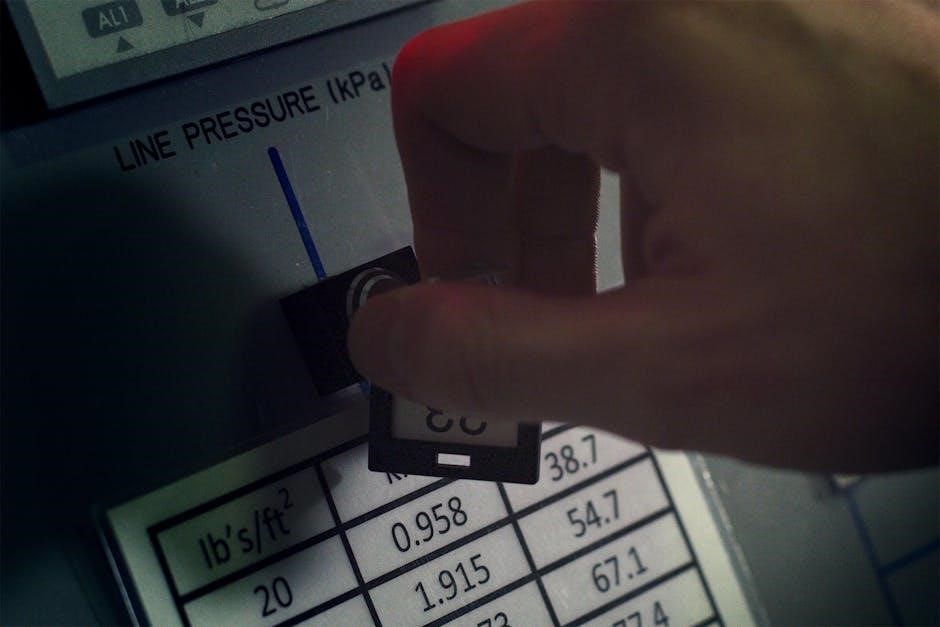
The Fluke 754’s display is a crucial component, providing a clear and comprehensive view of all essential calibration parameters. It simultaneously presents source and measure values, alongside loop power information, and the selected function. The large, backlit LCD ensures excellent readability even in dimly lit industrial environments.
Furthermore, the display incorporates softkeys that dynamically change function based on the current menu, streamlining operation. A dedicated section indicates HART communication status when active, and battery level is consistently visible. The display’s intuitive layout minimizes errors and maximizes efficiency during calibration procedures, offering a user-friendly experience.
Keypad Functions
The Fluke 754’s keypad is designed for intuitive operation, offering direct access to frequently used functions. Numerical keys facilitate quick entry of calibration values, while dedicated function keys—like ‘Source’, ‘Measure’, and ‘Hold’—simplify common tasks. Softkeys, located below the display, dynamically adjust their function based on the active menu, providing context-sensitive control.
Additional keys manage HART communication, memory storage, and display settings. The shift key unlocks secondary functions printed above the keys, expanding the instrument’s capabilities. The responsive and well-organized keypad ensures efficient navigation and precise control during calibration processes.
Terminal Connections
The Fluke 754 features robust terminal connections for versatile signal input and output. Terminals are clearly labeled for voltage, current (mA), resistance (RTD), and thermocouple connections. These connections accommodate standard test leads and provide secure, reliable signal transmission. A dedicated HART communication port enables interaction with smart devices.
The terminal block is designed for easy access and safe operation, ensuring accurate measurements and source signals. Proper connection of test leads is crucial for achieving optimal performance and preventing erroneous readings during calibration procedures.

Calibration Process Basics
Calibration with the Fluke 754 requires traceable standards, understanding accuracy specifications, and adhering to recommended calibration frequencies for reliable measurements.
Understanding Calibration Standards
Accurate calibration hinges on utilizing recognized and traceable standards. These standards provide a known reference point against which the Fluke 754 compares measurements. Traceability ensures these standards are linked to national or international measurement institutions, like NIST.
Selecting appropriate standards depends on the parameter being calibrated – mA, voltage, RTD, or thermocouple. Standards must have an accuracy ratio of at least 4:1 with the device under test for optimal results. Regularly verifying the calibration of your standards is crucial to maintain measurement confidence and ensure data integrity throughout the calibration process.
Accuracy and Traceability
The Fluke 754’s inherent accuracy is paramount, but maintaining traceability to national standards is equally vital. Traceability demonstrates the unbroken chain of comparisons to known reference values, ensuring measurement reliability. Fluke instruments are designed to support traceable calibrations.
Calibration certificates document this traceability, detailing the standards used and the uncertainty of measurement. Regularly scheduled calibrations, performed by accredited labs, are essential. This guarantees the 754 continues to deliver accurate results, meeting quality control requirements and industry regulations, ultimately bolstering confidence in process measurements.
Calibration Frequency
Determining calibration frequency for the Fluke 754 depends on several factors, including usage intensity, environmental conditions, and criticality of the measurements. A typical calibration interval is one year, but this can be adjusted.
More frequent calibrations are recommended for instruments used in harsh environments or critical applications where accuracy is paramount. Conversely, less frequent calibrations may suffice for light usage in stable conditions. Maintaining calibration records and tracking drift helps optimize the schedule, ensuring continued accuracy and compliance with quality standards.

Detailed Calibration Procedures
The Fluke 754 expertly handles mA loop, voltage, RTD, and thermocouple calibrations, offering precise and documented results for diverse industrial process measurements.
mA Loop Calibration
Performing mA loop calibration with the Fluke 754 involves sourcing or measuring current signals, typically 4-20mA, representing process variables. Connect the calibrator in series with the loop, ensuring proper polarity. Utilize the 754’s functions to simulate signals and verify instrument response, documenting each step.
The calibrator accurately sources and measures mA, allowing for precise adjustments and troubleshooting. Record readings, noting any deviations from expected values. This process confirms loop integrity and instrument accuracy, crucial for reliable process control. The 754’s documentation features streamline record-keeping for audit trails and quality assurance.
Voltage Calibration
Voltage calibration using the Fluke 754 involves sourcing or measuring DC voltage levels to verify instrument accuracy. Connect the calibrator to the device under test, observing correct polarity. The 754 provides precise voltage outputs, enabling thorough testing of voltage-sensitive components.
Documenting voltage readings is crucial for maintaining calibration records. Utilize the 754’s data logging capabilities to capture and store measurements. This ensures traceability and simplifies troubleshooting. Accurate voltage calibration confirms proper operation and prevents potential equipment failures, vital for reliable system performance.
RTD Calibration
RTD (Resistance Temperature Detector) calibration with the Fluke 754 ensures accurate temperature measurement. Connect the RTD to the calibrator, selecting the appropriate RTD type (e.g., Pt100, Pt1000) within the 754’s settings. Source or measure resistance values corresponding to specific temperatures.
The 754’s precision allows for verifying RTD linearity and accuracy across its operating range. Documenting calibration data is essential; the 754 facilitates this with its data logging features. Proper RTD calibration guarantees reliable temperature control and process monitoring, preventing costly errors.
Thermocouple Calibration
Thermocouple calibration using the Fluke 754 verifies accurate temperature readings in diverse applications. Select the correct thermocouple type (J, K, T, E, etc.) on the 754, and connect the thermocouple leads. The calibrator can source millivolt signals simulating temperature or measure the actual millivolt output.
Verify the thermocouple’s accuracy against known temperature standards. Documenting results with the 754’s features is crucial for traceability. Accurate thermocouple calibration is vital for reliable process control, safety, and preventing equipment damage due to incorrect temperature data.

HART Communication with the 754
The Fluke 754 supports HART communication, enabling configuration, diagnostics, and data retrieval from smart field devices for enhanced process control.
HART Mode Setup
To initiate HART communication with the Fluke 754, navigate to the ‘HART’ function within the instrument’s menu. Ensure the appropriate HART lead is securely connected to both the calibrator and the HART-enabled device. The 754 automatically detects the HART protocol when properly connected.
Configure communication speed if necessary, though auto-detection usually suffices. Select the desired communication mode – either command mode for direct control or loop mode for reading device variables. Proper setup is crucial for successful data exchange and device configuration, allowing for seamless integration with smart instrumentation systems;
Reading HART Device Data
Once HART mode is established, the Fluke 754 can efficiently read data from HART-enabled devices. Utilize the ‘Read Device’ function to access crucial parameters like process variables (PV), setpoints (SP), and diagnostic information. The calibrator displays this data clearly on its screen, facilitating quick assessment of device status.
Commonly read data points include tag information, manufacturer details, and calibration data. This capability allows technicians to verify device configuration and troubleshoot potential issues remotely, improving maintenance efficiency and reducing downtime in industrial processes.
Configuring HART Devices
The Fluke 754 empowers users to configure HART devices directly in the field. Access the ‘Write Device’ function to modify parameters like range values, damping constants, and sensor characteristics. This eliminates the need for specialized configuration tools, streamlining maintenance workflows.
Carefully review parameter changes before applying them, as incorrect settings can impact process performance. The 754’s documentation provides guidance on common HART device configurations, ensuring accurate and reliable adjustments. Document all configuration changes for traceability and future reference.

Troubleshooting Common Issues
Addressing typical problems like display errors, communication failures, or power supply concerns is crucial for maintaining uninterrupted operation with the Fluke 754.
Display Errors
Encountering display errors on the Fluke 754 often indicates internal issues requiring attention. Common messages might signal low battery voltage, sensor failures, or configuration problems. First, verify adequate battery charge and replace if necessary. If the error persists, attempt a factory reset—consult the manual for the specific procedure.
For persistent or unusual error codes, referencing the official Fluke 754 documentation is essential. The manual provides detailed explanations of each error message and recommended troubleshooting steps. If self-resolution fails, contacting Fluke support directly ensures expert assistance and potential repair options, minimizing downtime and maintaining calibration accuracy.
Communication Problems
Experiencing communication issues with the Fluke 754, particularly during HART connectivity, can disrupt data transfer and configuration. Verify the HART cable is securely connected to both the calibrator and the device. Ensure proper HART mode setup within the 754’s menu, confirming correct device addressing and baud rates.
If problems persist, check for physical layer issues like damaged cables or faulty connectors. Refer to the Fluke 754 manual for detailed HART communication troubleshooting steps. Contacting Fluke support provides expert guidance for resolving complex communication challenges, ensuring seamless integration with HART-enabled instrumentation;
Power Supply Issues
Addressing power supply concerns with the Fluke 754 is crucial for reliable operation. If the calibrator fails to power on, first verify the battery charge level and replace if necessary, following the manual’s instructions. Ensure the AC adapter (if used) is correctly connected and functioning.
Low battery warnings indicate impending power loss; promptly address this to avoid data corruption or interrupted calibrations. Inspect the power input jack for damage. If issues persist, consult the Fluke 754 documentation or contact Fluke support for assistance with potential power circuit malfunctions.

Battery Replacement and Maintenance
Maintaining the Fluke 754 involves timely battery replacement and routine cleaning, ensuring optimal performance and longevity of this essential calibration tool.
Battery Type and Replacement Procedure
The Fluke 754 utilizes standard alkaline batteries for power, offering convenient accessibility; Battery replacement is indicated when performance diminishes or a low battery symbol appears on the display. To replace, carefully access the battery compartment, typically located on the rear of the instrument, using a screwdriver if necessary.
Ensure correct polarity when inserting new batteries, matching the positive (+) and negative (-) terminals. The manual details the specific battery type required – typically AA size. After replacement, verify proper operation by powering on the calibrator and checking the display. Dispose of used batteries responsibly, following local regulations.
Cleaning and Storage
To maintain the Fluke 754’s performance and longevity, regular cleaning is recommended. Use a soft, damp cloth to wipe the exterior, avoiding abrasive cleaners or solvents that could damage the instrument’s finish. Ensure the calibrator is powered off and disconnected from any test leads before cleaning.
For storage, keep the 754 in a dry, clean environment, protected from extreme temperatures and humidity. A carrying case is ideal. Remove the batteries if prolonged storage is anticipated to prevent potential corrosion. Proper storage ensures accurate readings and extends the instrument’s lifespan.
Routine Maintenance Checks
Regular checks are vital for ensuring the Fluke 754’s continued accuracy. Periodically inspect the test leads for damage or wear, replacing them as needed. Verify the battery level before each use, and replace batteries promptly when low to avoid inaccurate readings or interruptions during calibration procedures.
Confirm the display functions correctly and that all keys respond as expected. A functional check before each calibration helps identify potential issues early, maintaining confidence in measurement results and minimizing downtime.

Fluke 754 Documentation and Resources
Access the official manual on Fluke’s website for detailed guidance, alongside support contacts and active online forums for community assistance.
Accessing the Official Manual
The comprehensive Fluke 754 manual is readily available as a downloadable PDF document directly from the official Fluke Corporation website. This resource contains 130 pages of detailed information, covering all aspects of the calibrator’s operation, from basic setup and calibration procedures to advanced HART communication configurations and troubleshooting steps.
Users can find the manual by searching for “Fluke 754 manual” or navigating to the support section of the Fluke website and selecting the 754 model. The manual includes diagrams, specifications, safety guidelines, and maintenance instructions, ensuring users have everything needed for effective and safe operation of their instrument.
Fluke Support and Contact Information
For direct assistance with your Fluke 754, the Fluke Corporation offers multiple support channels. Users can contact Fluke representatives by phone for immediate support, with numbers available on the official Fluke website based on regional location.
Additionally, Fluke provides extensive online resources, including FAQs, application notes, and troubleshooting guides. The website also features a contact form for submitting inquiries. Fluke is a global leader, offering localized support and service to ensure customers receive prompt and effective assistance with their calibration tools.
Online Forums and Communities
Numerous online platforms host discussions and support for Fluke 754 users. These communities provide a valuable space to exchange knowledge, troubleshoot issues, and share calibration best practices. Dedicated forums often feature experienced technicians and engineers who can offer guidance on complex applications.
Searching online for “Fluke 754 forum” or related terms will reveal active communities. These resources supplement the official Fluke documentation, offering peer-to-peer support and practical insights from fellow professionals utilizing the calibrator daily.

Safety Precautions
Always adhere to electrical safety guidelines and environmental considerations when operating the Fluke 754, ensuring proper handling to prevent damage or injury.
Electrical Safety Guidelines
When utilizing the Fluke 754, prioritize electrical safety. Never work on live circuits unless absolutely necessary, and always employ appropriate personal protective equipment (PPE), including insulated gloves and safety glasses. Ensure the calibrator’s test leads are in good condition, free from cracks or damage, to prevent electrical shock.
Disconnect power before connecting or disconnecting the 754 to circuits. Be mindful of potential hazards associated with high voltages and currents. Avoid touching exposed metal parts of the calibrator or the circuit under test. Regularly inspect the instrument for any signs of wear or damage that could compromise its safety features. Follow established lockout/tagout procedures when working on energized equipment.
Environmental Considerations
Operating the Fluke 754 responsibly includes considering environmental factors. Avoid using or storing the calibrator in excessively humid or dusty environments, as these conditions can affect its performance and longevity. Maintain a temperature range suitable for electronic equipment, typically between 5°C and 40°C (41°F and 104°F).
Dispose of used batteries properly, following local regulations for hazardous waste. Do not incinerate batteries. When transporting the 754, use appropriate packaging to protect it from physical damage and extreme temperatures. Fluke is committed to environmentally conscious manufacturing practices, and responsible usage extends that commitment.
Proper Handling Procedures
To ensure the longevity and accuracy of your Fluke 754, handle it with care. Avoid dropping or subjecting it to strong impacts. When connecting test leads, ensure a secure connection to prevent inaccurate readings or damage to the terminals. Regularly inspect the test leads for wear and tear, replacing them as needed.
Always power down the calibrator before cleaning or performing maintenance. Use a soft, dry cloth to clean the exterior. Avoid using solvents or abrasive cleaners. Store the 754 in a protective case when not in use, safeguarding it from dust and physical harm.